

Managing Competition Members - Export Members
This article is targeted at the competition administrators and coordinators.
As a competition administrator or coordinator you can export members to a CSV file. This is useful under the following circumstances:
- You want to perform bulk edits and updates to the members (export, update, and reimport)
- You want to update the member data with information from an alternative system using external software like Excel and a vlookup to join the two data sets
- You have collected registrations using a different system (e.g. SurveyMonkey) and need to update the list of members with that supplementary data
- You want to share the list of members with others outside of SportsM8
- You wish to import the list of members into another system/database
- You are carrying over members from previous competitions. Ensure you remove the id values before importing into another competition.
Please ensure you follow all appropriate laws and governance with regards to sharing of personal information within your country or region.
-
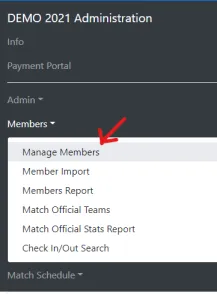
From the Competition Admin portal, expand Members and click Manage Members.
-
Use the search to find the set of members
-
Select the members you want to export (individually, or using the
AllorThis Pagebuttons)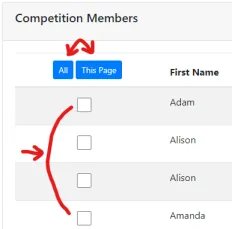
-
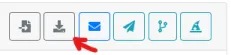
Click the Export button in the toolbar
-
Save the CSV file when prompted
The following video will take you through the process to export members.